

Floor plans for hotel sales & catering
Ballroom diagrams in minutes, not afternoons.
Drag tables in, chairs set and count themselves, and export a BEO-ready diagram before the client call ends.
Request a demo →
Launch price: $99.99 one-time, for a limited time · No subscription · Mac, Windows & browser
Windows may show “Windows protected your PC” — click More info, then Run anyway.
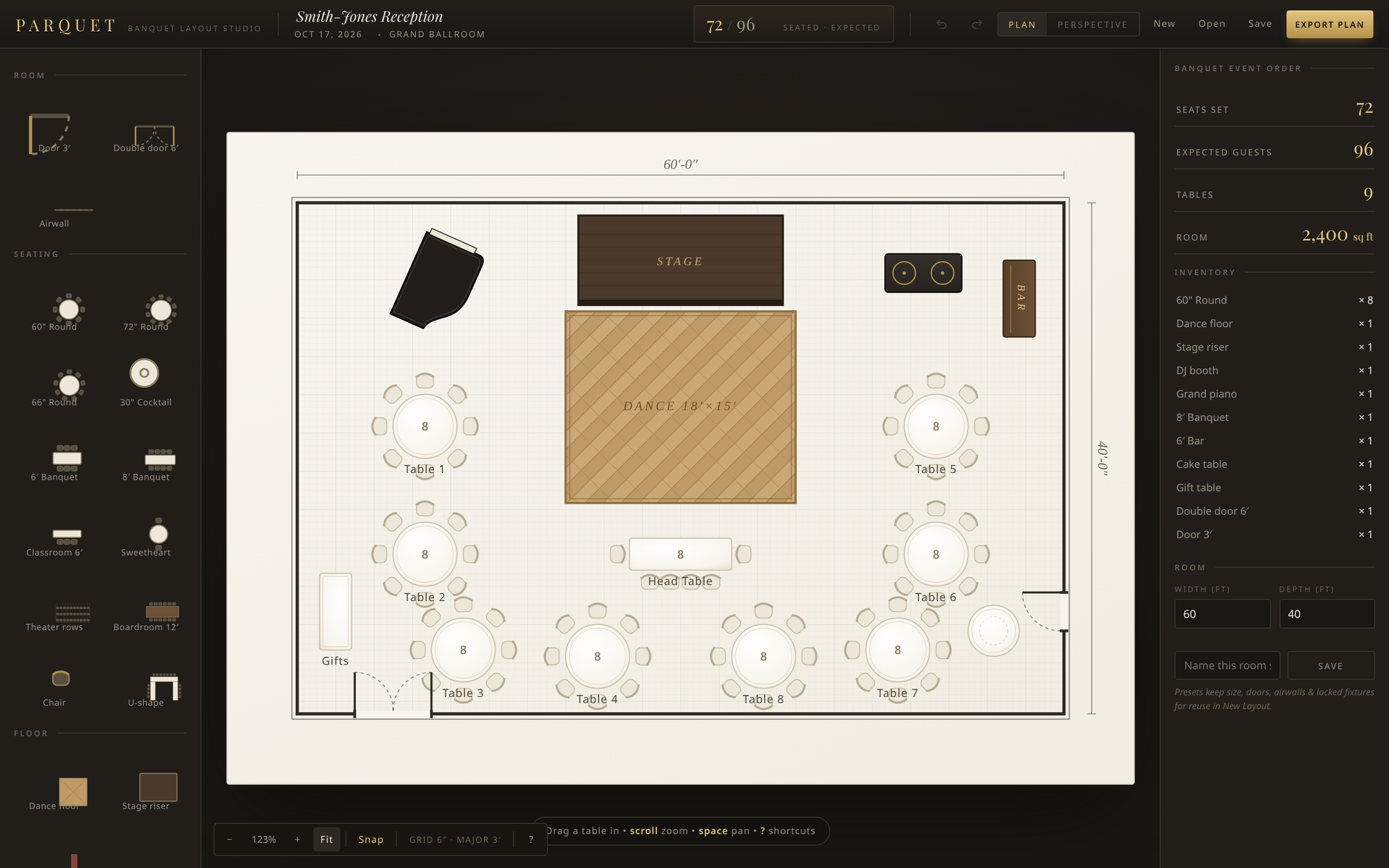
See Parquet in 60 seconds
- $99.99 launch price, yours to keep
- Mac · Windows · Browser
- Built for hotel sales & catering
- BEO-ready export
How it works
Three steps to a finished diagram
From empty ballroom to BEO attachment, without leaving one window.
Draw your room once
Doors, airwalls and stage, exactly where they are. Save it as a preset.
Drag in tables
Rounds, banquets, cocktails and dance floor. Chairs set themselves.
Export to the BEO
A PNG with an event title block: event, venue, date, seats and expected count.
Features
Everything a banquet diagram needs
Built around how hotel sales and catering teams actually work.
Chairs that count themselves
Change a 10-top to an 8-top and seats, inventory and guest count update instantly, with a live seated vs. expected counter.
Your ballroom, saved
Room presets keep your doors and airwalls, so every event starts from the real room.
Live inventory
Rounds, banquets, staging, dance floor and bars, all counted as you build.
BEO-ready export
Export a clean PNG with an event title block, ready to attach to the BEO.
Perspective view
One click tilts the plan into a 3D presentation view so clients can picture the room. View-only; flip back to Plan to edit.
Runs your way
Mac App Store, a Windows desktop app that works offline, or right in the browser.
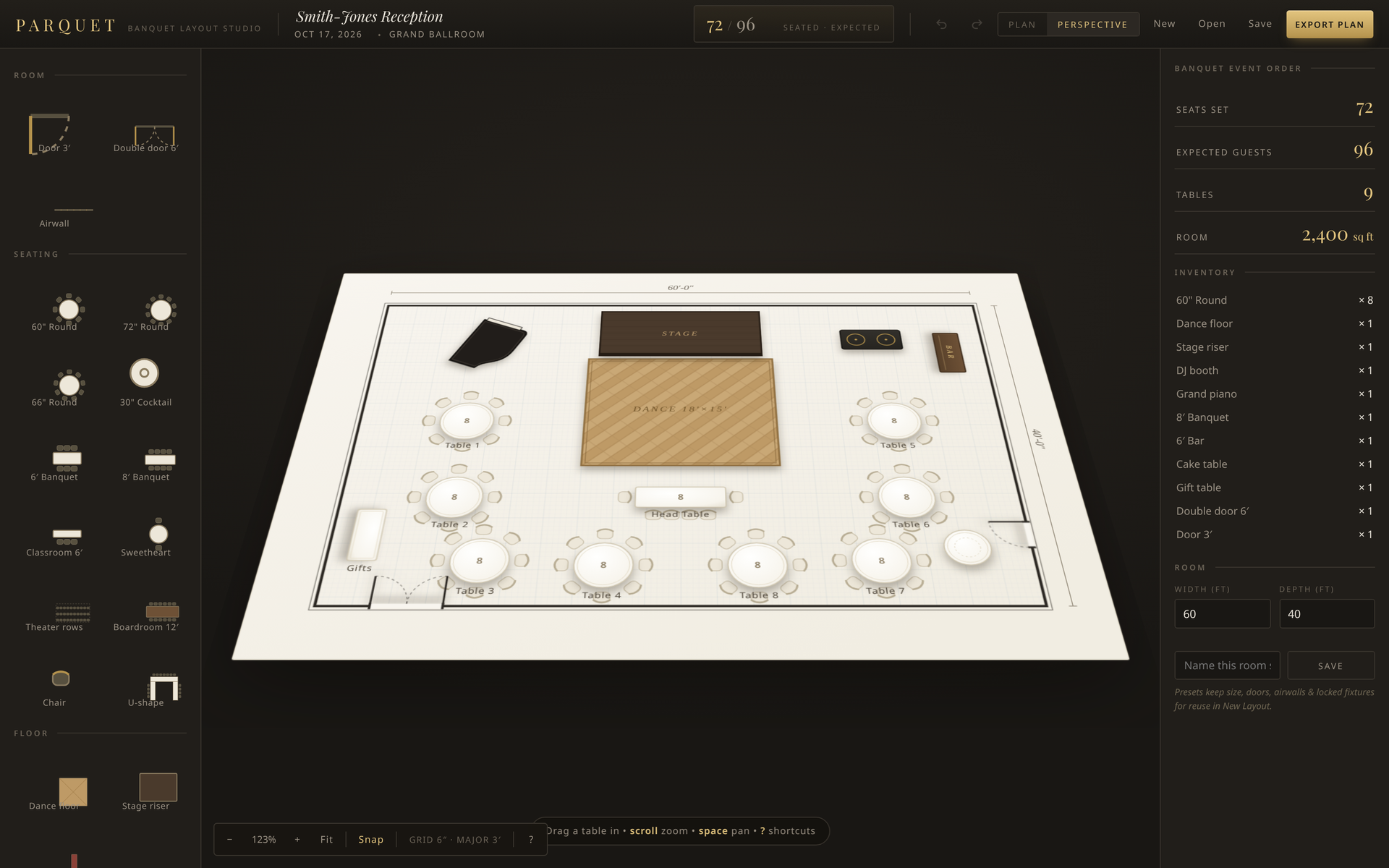
Perspective view
Help clients picture the room
One click tilts your floor plan into a 3D presentation view, with tables, stage and dance floor standing up off the floor. Walk a client through the layout on a site visit or screen share, then flip back to Plan to make changes.
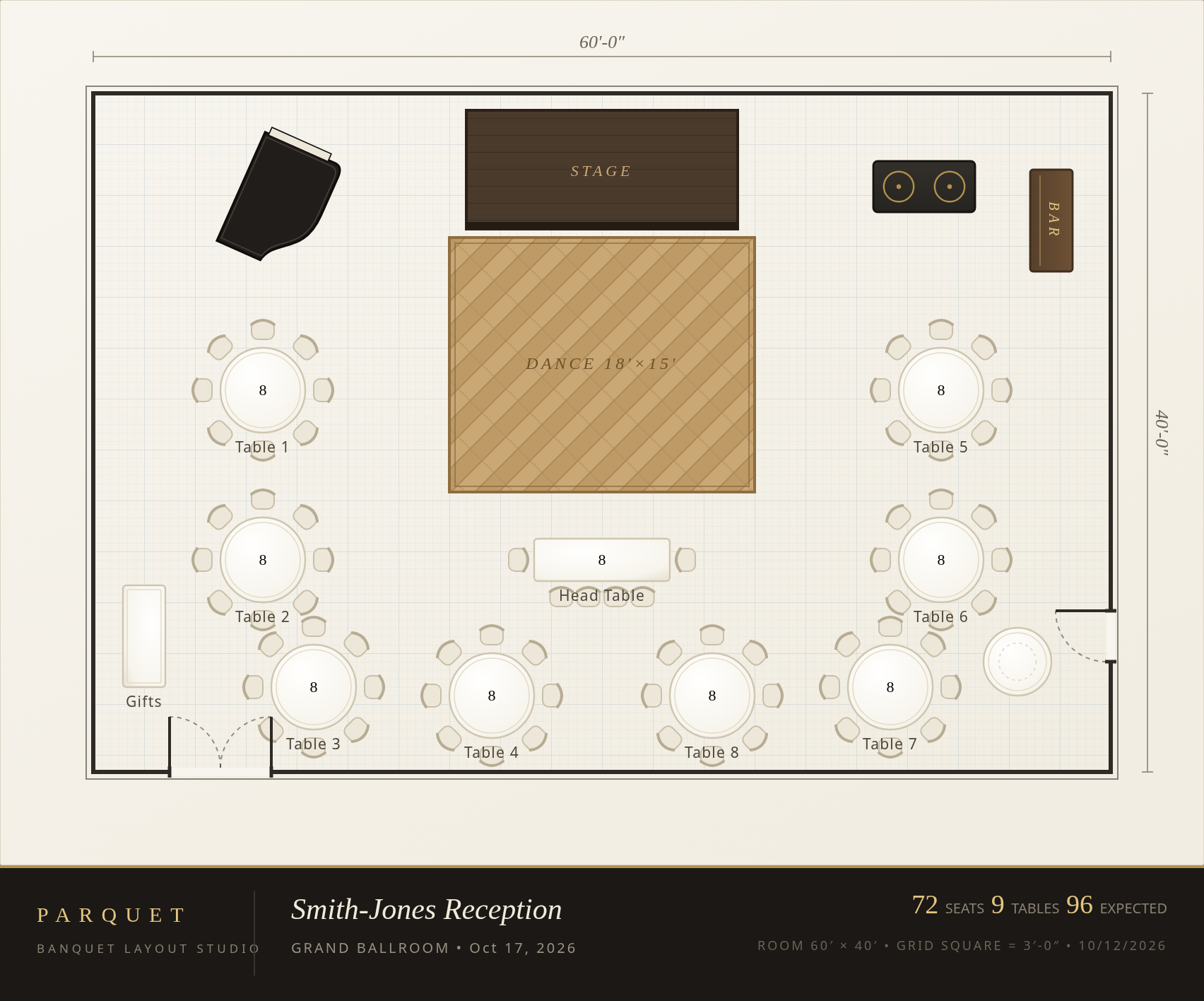
BEO-ready export
A diagram banquet can set from
Export the plan as a PNG with an event title block: event, venue, date, seats and expected count. Attach it to the BEO and everyone works from the same picture.
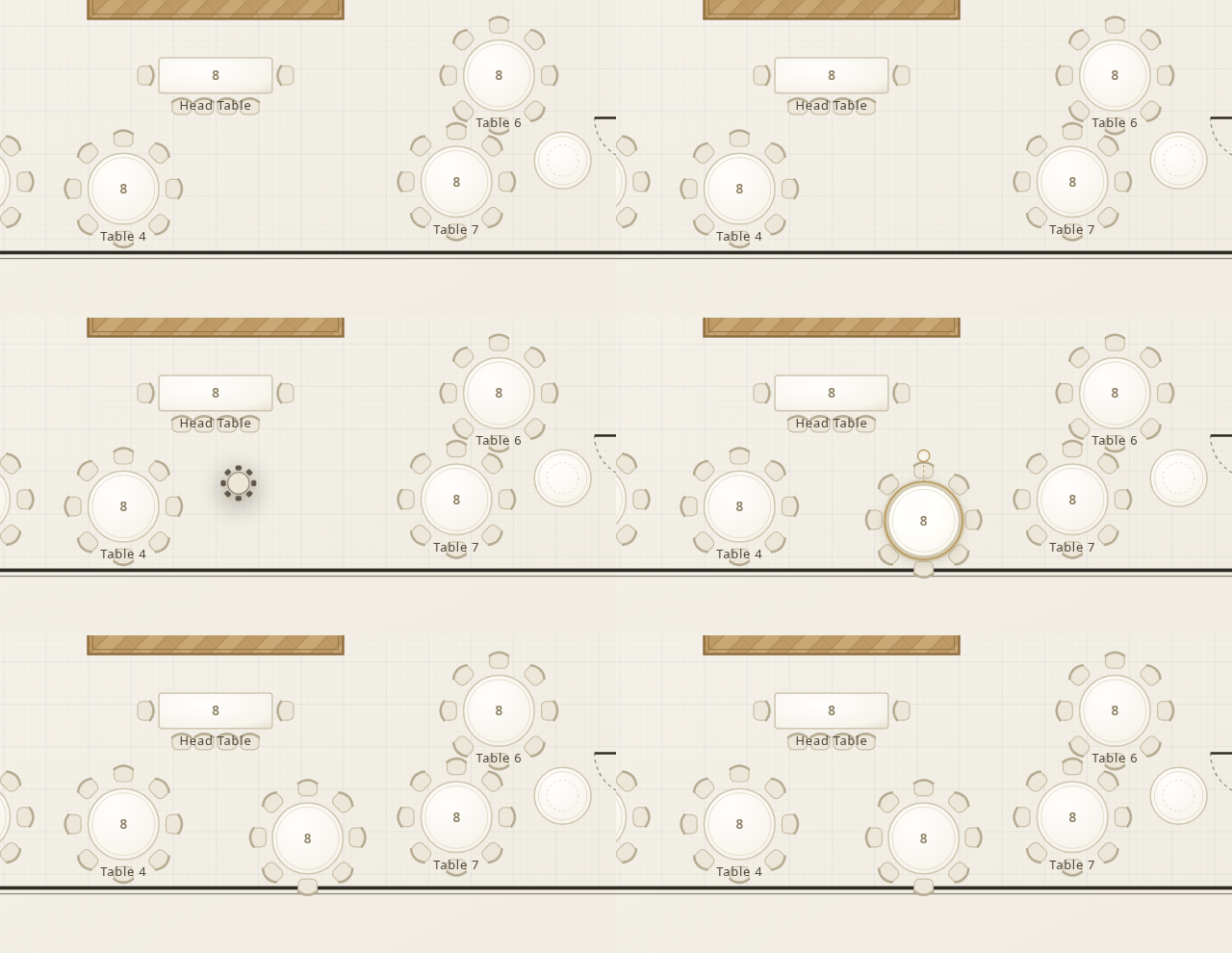
Chairs that count themselves
Drop a table. The chairs follow.
Drag in a round and its chairs fan in automatically. Change a 10-top to an 8-top and seats, inventory and guest count update instantly.